Category: Package Tracking

  • No Tracking Information Found: What It Means for Your Package

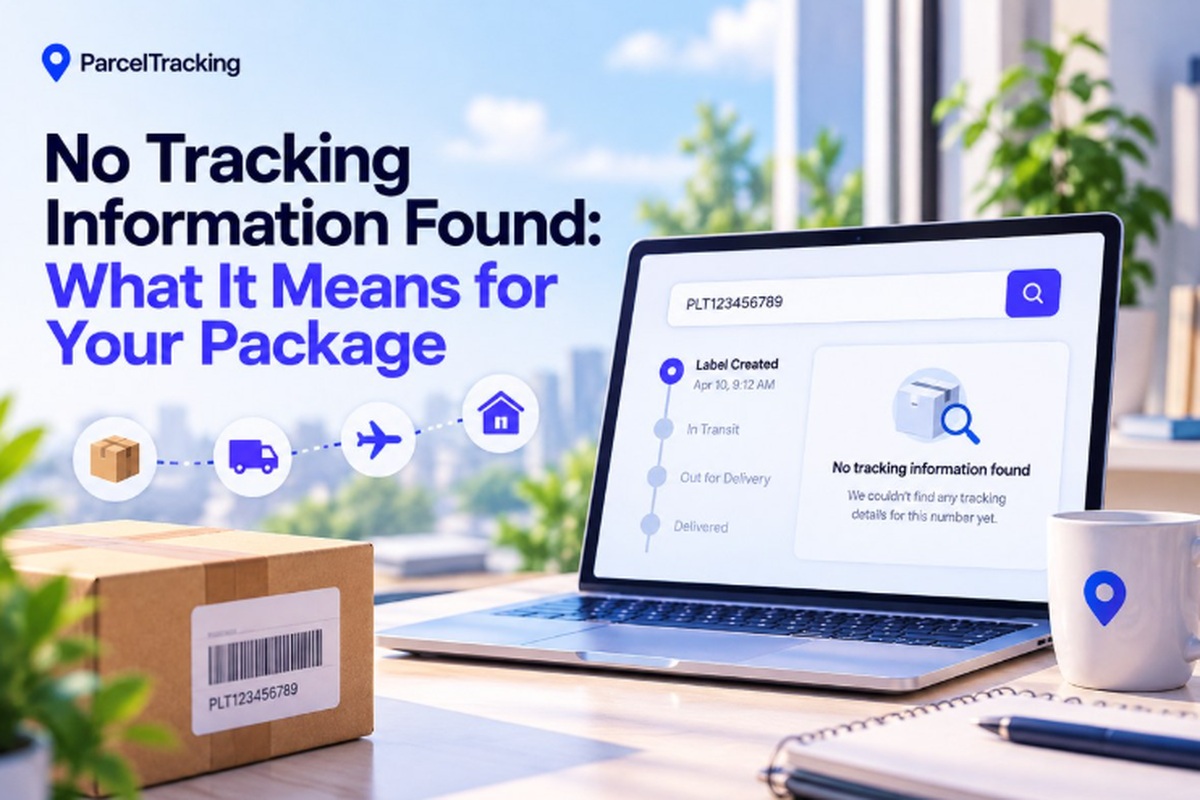
    No Tracking Information Found: What It Means for Your Package

    Seeing a no tracking information found message after pasting your number can be seriously annoying. You just want to know where your package is, but the tracker shows absolutely nothing. That does not automatically mean your package is lost or the tracking number is invalid.

    Sometimes, the carrier has not received the shipment data or recorded its first scan yet. Still, missing updates can leave you wondering where your money went or whether the seller shipped. Give this guide two minutes, and you’ll know whether it is normal or needs action.

    We’ll help you check the number, understand the scan, and figure out what deserves attention. First, here’s what that message actually means for your package and its tracking history right now.

    What “No Tracking Information Found” Actually Means?

    No tracking information found means the carrier’s tracking system has no recorded scan for your package yet, not that it is lost.

    Every tracking number becomes visible once a physical scan event is logged by the carrier. That first scan can appear within minutes or several days after creating the shipping label. During this gap, carriers may display statuses such as “Pre-Shipment Info Sent”, showing that shipment details exist before physical movement is recorded.

    The confusing part is that this same message can come from two completely different causes, which we’ll separate next.

    Why No Tracking Information Appears: Two Causes

    When no tracking information appears, the cause is usually one of two common tracking problems.

    Problem 1: The Number Is Valid but Hasn’t Been Scanned Yet

    The tracking number is valid, but the carrier has not recorded its first physical scan yet.

    What is happening:

    • The seller creates the shipping label before physically handing the package to the carrier for collection.
    • The carrier receives electronic shipment details, but no physical scan has been recorded against the package yet.
    • Tracking may show “Information Received” or “Pre-Shipment Info Sent” while the package remains with the seller.

    Confused by the wording? Check these tracking status meanings to see what the carrier’s message actually indicates. 

    Signs this is probably your situation:

    • The shipping label was created today, so the carrier may simply have not scanned your package yet.
    • The seller recently confirmed shipment, but the carrier has not recorded physical movement inside its tracking system.
    • The tracker shows “Information Received” instead of an error, meaning shipment details already exist.

    Problem 2: The Number Is Actually Invalid or Mistyped

    The tracking number contains an error, so the carrier cannot recognize or match it correctly.

    What can cause the problem:

    • Copying from an email can accidentally include spaces, punctuation, or extra characters that belong outside the tracking code.
    • Shoppers sometimes enter their order number instead of the separate tracking number provided after dispatch.
    • Different carriers use specific character counts and formats, so unexpected letters or numbers can cause recognition failures.

    Ways to catch the mistake:

    • Check whether the number’s character count matches the carrier’s usual tracking format for that service.
    • Look for letters where the carrier normally uses numbers, which can reveal a copied or mistyped tracking code.
    • Compare the code against your original shipping confirmation email instead of entering the number from memory.

    A tracking number format checker can quickly show whether your code resembles a valid carrier-specific tracking format.

    How Long Is Normal Before Tracking Updates?

    Most tracking updates appear within 24–72 hours domestically, while international shipments commonly take longer to show their first scan. Carrier workload, shipment volume, and the distance between pickup and processing facilities can all extend that waiting period.

    Cross-border labels and weekend or holiday drop-offs can add additional delays before the first physical scan becomes visible.

    Typical time before first scan shows

    Shipment TypeTypical Wait Before First ScanWhen To Get Concerned
    Domestic express (courier)A few hours to 1 dayPast 2 days with no movement
    Domestic standard/postal1–2 daysPast 3 days
    International postal2–5 daysPast 7 days
    International courier (DHL/FedEx/UPS express)1–2 daysPast 3 days
    Marketplace/dropship (AliExpress, Shein-style)3–7 daysPast 10 days

    This is why refreshing one courier’s website repeatedly can leave you staring at the same empty tracking page. A universal tracker can surface the carrier’s scan as soon as that event enters its system, making tracking more useful.

    How to Check a Tracking Number in 60 Seconds?

    Run these five checks first to identify the problem before contacting the seller or carrier directly.

    1. Re-check the tracking number: Compare it with the original confirmation email or SMS instead of relying on memory or retyping.
    2. Check when the label was created: Compare the label creation date with when the seller actually handed your package to the carrier.
    3. Check your order status: Look at the seller’s website and confirm whether your order says “shipped” or remains “processing.”
    4. Try a multi-carrier tracker: Use a multi-carrier tool that can automatically identify the correct carrier from your tracking number format.
    5. Confirm the actual carrier: Check your confirmation email for the named carrier before opening its tracking page and searching.

    If all five checks pass and three or more business days show zero movement, direct action makes sense.

    Use ParcelTracking’s multi-carrier tracker to automatically identify the carrier from your tracking number format. 

    Next, you’ll need to know when missing tracking information actually becomes a problem worth escalating.

    When to Act on Missing Tracking Information?

    For domestic shipments, act after five business days without a scan; international shipments warrant action after 10–14 days.

    • Contact the seller directly: Give the seller your tracking number and order date so they can confirm dispatch details from their records.
    • Contact the carrier directly: Submit a carrier claim or inquiry because sellers often cannot investigate scan-level issues inside carrier systems.
    • Check buyer protection eligibility: Check whether the purchase qualifies for buyer protection through the marketplace handling your order and its payment.
    • Set up a tracking alert: Set up a tracking alert so you know immediately when the first scan appears without repeatedly refreshing tracking pages.

    A tracking gap is rarely proof that a package is lost, especially before the expected waiting window expires.

    Most no-information cases resolve within the timeframes above, while persistent gaps still deserve prompt follow-up from sellers or carriers.

    How ParcelTracking Solves This Faster Than Checking One Carrier Site?
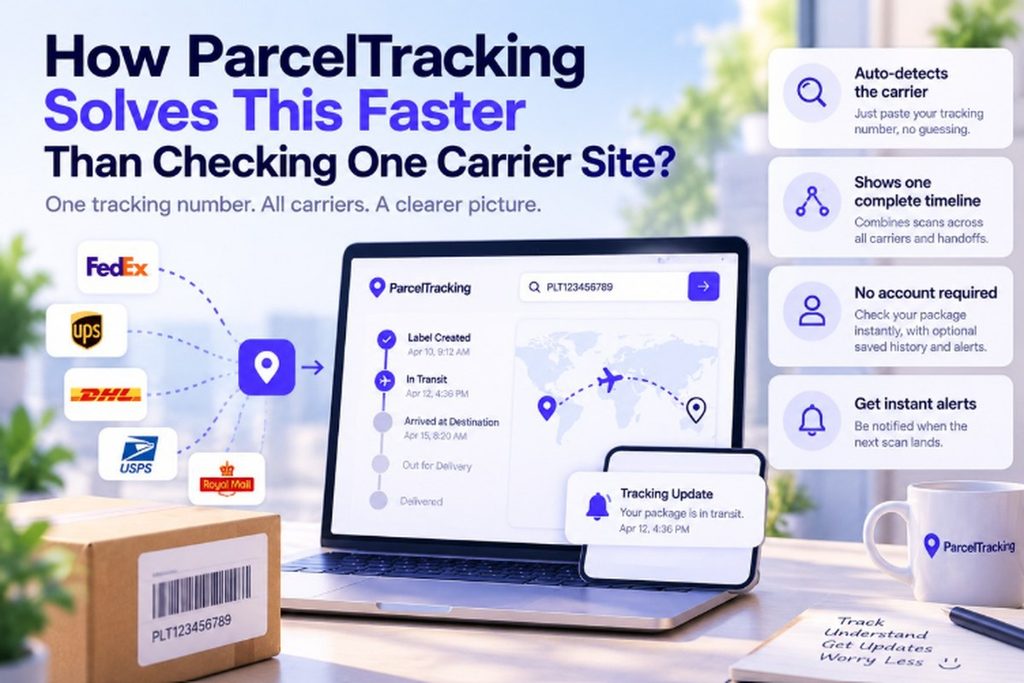
    How ParcelTracking Solves This Faster Than Checking One Carrier Site?

    The main problem is figuring out which carrier to check, then bouncing between multiple tracking pages unnecessarily.

    • Paste your tracking number once. ParcelTracking automatically detects the carrier from its format, so there is no dropdown or guesswork.
    • See one continuous shipment timeline. Scans from origin carriers, international partners, and destination posts appear together, even after handoffs.
    • Check status instantly without an account. An account only adds saved tracking history and notifications while basic checking works immediately.
    • Get notified when the first scan appears. Optional alerts tell you when the first scan lands, so you can stop refreshing manually.

    Paste it into the tracking box at the top of the page to check what appears.

    You can return later for alerts without repeatedly opening several different carrier websites yourself each time.

    Final Thoughts

    A no tracking information found message usually means the carrier has not scanned your package yet, rather than indicating loss. Run the 60-second check first, then contact the seller or carrier only after the stated waiting windows have passed.

    Still seeing no tracking information found? Paste your number into ParcelTracking to check the latest status across 3,000+ carriers. 

    Frequently Asked Questions

    1. Why does my tracking number say invalid?

    A tracking number can show as invalid when characters are mistyped, copied incorrectly, confused with an order number, or entered against the wrong carrier, so compare it carefully with your original shipping confirmation before checking again.

    1. What does “no tracking information found” mean?

    “No tracking information found” usually means the carrier has not recorded a scan for your package yet, so the shipment may still be waiting for pickup, processing, or its first physical scan rather than being lost.

    1. How long before tracking updates after a label is created?

    Tracking often appears within 24–72 hours after a domestic label is created, while international shipments can take longer because cross-border handling, carrier handoffs, weekends, holidays, and processing delays can postpone the first visible scan.

    1. Can a tracking number be wrong or mistyped?

    Yes, a tracking number can be wrong when letters or digits are copied incorrectly, characters are missed, extra spaces are included, or an order reference is mistaken for the actual tracking code, so always compare it with the original shipping confirmation before assuming the shipment has a problem.

    1. What should I do if my package has no tracking history?

    Check the tracking number against your original confirmation, confirm when the label was created, verify that the seller marked your order shipped, and try a multi-carrier tracker before contacting the seller or carrier about missing shipment history.

    1. Is my package lost if there’s no tracking info?

    No, missing tracking information does not automatically mean your package is lost because carriers sometimes receive shipment details before recording the first physical scan, although a prolonged gap beyond the expected delivery window deserves follow-up with the seller or carrier.

    1. Does “no tracking information found” mean the seller didn’t ship it?

    No, this message does not prove the seller failed to ship your package because a label can be created before the carrier records its first physical handling scan, so check the seller’s order status and shipping confirmation before assuming the parcel never left.

    1. Can I track a package without knowing which carrier it’s with?

    Yes, a multi-carrier tracking tool can automatically detect the courier from the tracking number format alone, allowing you to check available shipment information without guessing which carrier operates the package or opening several different tracking websites.
  • Why Is My Tracking Number Not Updating? 7 Reasons 

    Why Is My Tracking Number Not Updating? 7 Reasons 

    The tracking page has looked exactly the same for days, and your tracking number is still not updating. After checking it several times, it is easy to wonder whether your package has gone missing.

    In many cases, a tracking number not updating does not mean the package is lost. Your parcel may still be moving between scan points, waiting for its first scan, going through customs, or being transferred from one carrier to another.

    Tracking information only changes when a new shipment event is received by the tracking system. That means a package can continue moving even when the tracking page appears unchanged.

    This guide explains why tracking numbers stop updating, how long a tracking gap can be normal, what you should check, and when it is time to contact the seller or carrier.

    Why Is My Tracking Number Not Updating? 

    Tracking numbers rely on physical scans at specific checkpoints, so the status changes only when a new scan happens. A parcel can genuinely move for hours or days while the tracking screen shows nothing new.

    • Long stretches between scan points on the route
    • A carrier handoff that has not synced yet
    • The parcel has not reached its first scan point since the label was created

    The rest of this guide explains each cause and how long a quiet tracking status is genuinely normal before action.

    For international shipments, check import duties when customs-related delays may be part of the hold-up. 

    How Does a Tracking Number Actually Go Quiet?

    A tracking number usually goes quiet at one of two moments: before the first scan, or during transit between scan points.

    1. No Scan Yet Since the Label Was Created

    A shipping label can exist before the parcel has physically entered the carrier’s network. The tracking number usually stays inactive until the parcel receives its first physical scan.

    Think of these as two separate events:

    Label created → Parcel handed over → First scan

    A seller may create the label well before pickup, so the tracking page can show little or nothing.

    The gap can happen because:

    • Labels are prepared early: Sellers may batch-print labels before the scheduled pickup.
    • Pickup and scanning are separate: The first scan can happen a day or more after label creation.

    Until that first scan appears, the tracking system has no new movement event to display. That is completely normal during the first 24 to 48 hours.

    1. The Package Is Moving, Just Not Being Scanned

    A package can continue travelling while its tracking status stays unchanged between physical scan points.

    Common stretches without a visible update include:

    • Truck transit: A parcel travelling between distant cities may not be scanned along the route.
    • Air transit: Packages can move between airports without a new public tracking event.
    • Sea transit: Longer transport legs can leave tracking quiet until the next processing point.

    Example:
    A domestic ground shipment between distant cities can show the same status for one or two days. The parcel may still be moving normally toward its next scan location.

    That normal gap is different from an “Exception” status, which indicates a specific transit or delivery issue.

    Why Does My Tracking Number Say “Not Found”? 

    “Not found” usually means the carrier has not recognized the tracking number yet, rather than it being invalid or nonexistent.

    Two situations commonly cause this message:

    What is happeningWhy the message appears
    Recently created labelThe seller created the label, but its details have not synced with the carrier’s tracking system yet.
    Carrier handoffThe parcel moved to another carrier for the next leg, but that carrier’s system does not recognize the original tracking details yet.

    Before assuming the shipment has a problem, check these three points:

    What to checkWhat it tells you
    Order timingOrders created less than 48 hours ago may simply be waiting for their first scan or system sync.
    Tracking numberRecheck the number carefully and remove any extra spaces or missing characters.
    International routeCross-border shipments may change carriers during transit, creating temporary tracking gaps between systems. 

    A tracking number can therefore appear “not found” even when the parcel is already moving. The message becomes more meaningful when the shipment remains unrecognized beyond the expected initial processing period.

    A tool that auto-detects the carrier and checks multiple tracking sources can reduce this specific false-alarm scenario. 

    Common Reasons Tracking Numbers Get Stuck

    A small set of recurring issues explains most stalled tracking numbers across carriers and shipping routes worldwide.

    CauseWhat’s actually happening
    High shipping volume (peak season)Heavy parcel volumes can slow processing, scanning, and updates at busy facilities.
    Customs clearanceCross-border parcels may wait while customs reviews documents, duties, or shipment contents.
    Carrier handoff / interline transferTracking can pause while one carrier transfers the parcel and shipment data to another.
    Damaged or unreadable barcodeA damaged barcode may prevent the parcel from being scanned at the next checkpoint.
    Weather disruptionSevere weather can delay transport and leave the latest tracking scan unchanged.
    System sync delay between carrier and tracking pageThe carrier may have newer data that has not reached the tracking page yet.

    For shipments where import charges may be part of the delay, the import duty calculator can help estimate applicable duties. 

    Most of these issues resolve on their own within a few days as the parcel reaches another scan point. The exception is a status that explicitly says “Exception” or reports a failed delivery attempt, which signals a different, more urgent issue covered next.

    How Long Should You Wait Before Acting on Tracking?

    As a general rule, wait 48 hours for domestic shipments and 5 to 7 days internationally before treating a stall as unusual.

    Use the elapsed time since shipping or the last visible scan as your guide. The longer the silence lasts, the more useful direct follow-up becomes.

    1. 0 to 48 hours: This is usually completely normal, especially when the label was recently created or the parcel is travelling between distant scan points. Give the shipment time to reach another checkpoint.
    2. 3 to 5 days: This can still be common for international shipments or high-volume periods, but double-check that the tracking number was entered correctly. Also confirm the latest status has not changed elsewhere.
    3. 5 to 10 days with zero movement: It is reasonable to contact the seller and confirm that the parcel was actually handed to the carrier. Ask whether the shipment left their facility as expected.
    4. Beyond 10 days, or an explicit “Exception” status: Contact the carrier directly, or the seller for marketplace orders, with the tracking number ready. Have your order details available too.

    These windows are general practical guidance, since exact tracking and escalation policies differ by carrier and country.

    What Should You Do If Tracking Still Isn’t Updating?

    Once you are past the normal waiting window, follow a clear order for who to contact and what information to prepare. This helps avoid escalating a routine tracking gap before checking the basics.

    1. Recheck the tracking number and carrier: Check for typos, missing characters, or extra spaces, then confirm which carrier handles the parcel. A mismatched carrier selection can create a false alarm.
    2. Contact the seller first for marketplace orders: Ask whether the parcel was physically handed to the carrier and when. The seller can confirm whether the shipment was actually dispatched from their facility.
    3. Contact the carrier after shipping is confirmed: Provide the tracking number and explain that no new movement appears. The carrier can check its internal system for information unavailable through public tracking pages.

    ParcelTracking can auto-detect the carrier and combine available updates from multiple carriers into one unified timeline. Paste your tracking number into the tracker to double-check its current status before opening a support ticket.

    How to Avoid Losing Track of a Stalled Shipment?

    The easiest way to stay on top of a stalled shipment is getting notified when something changes instead of checking manually.

    • Save the tracking number: Keep it in a tracking dashboard rather than letting it disappear inside a busy inbox.
    • Choose useful notifications: Set alerts to chatty, balanced, or quiet levels, depending on how often you want updates.
    • Share parcel visibility: Use household sharing when multiple people need to follow the same shipment and receive relevant alerts.

    A unified timeline brings your shipment updates into one place, so you can see the latest status without checking several carrier pages. Adjustable notification levels help reduce unnecessary alerts while still showing meaningful tracking changes.

    For order confirmations arriving by email, sync tracking numbers from Gmail to keep them easier to follow.

    Parcel Tracking: See What Your Shipment Is Actually Doing

    Parcel Tracking: See What Your Shipment Is Actually Doing

    A tracking page can look frozen even when your package is still moving. The problem is often a missing scan, a carrier handoff, or tracking data arriving later than the physical movement.

    Parcel Tracking brings the pieces together in one place.

    • Auto-detect the carrier: Paste your tracking number and let Parcel Tracking identify the carrier automatically.
    • Follow one unified timeline: See tracking updates from multiple carriers in a continuous status timeline, including handoffs between legs.
    • Check what a status means: Use the tracking status decoder tool when a message is unclear.
    • Find the carrier automatically: The tracking number detector helps identify which carrier handles the shipment.
    • Check common delays: Use the customs delay checker when an international shipment appears stuck in customs.

    You do not need to keep refreshing different carrier pages or guess which system has the latest update. Start with one tracking number and see what the available shipment data shows.

    Check your tracking number now →

    Final Thoughts

    A quiet tracking number usually means a gap between scans, not a lost package, especially during handoffs or long transit legs.
    The situation becomes worth escalating when the shipment stays unchanged beyond the practical waiting window or shows an explicit exception.

    Before assuming the worst, check the tracking number using a tool that pulls carrier data and detects carrier handoffs automatically.
    That can reveal whether the package has moved under another carrier or simply has not generated a new public scan.

    Check your tracking number now.

    Frequently Asked Questions

    1. Does no tracking information mean my package is lost?

    No, having no tracking information does not automatically mean your package is lost, because it may still be waiting for its first scan, moving between checkpoints, passing through a carrier handoff, or affected by a delay between tracking systems before another update appears.

    1. How long can a tracking number go without updating before I should worry?

    A tracking number can often remain unchanged for about 48 hours on domestic shipments and five to seven days internationally, but longer gaps deserve closer attention, particularly when there is no movement, the expected delivery window has passed, or the status shows an explicit exception.

    1. Why does my tracking number say “not found”?

    A “not found” message usually means the carrier has not recognized the tracking number yet, which can happen shortly after label creation or during a carrier handoff, and ParcelTracking can auto-detect the carrier and check multiple tracking sources to reduce this false alarm.

    1. Can a package be delivered without the tracking ever updating?

    Yes, a package can sometimes be delivered even when its public tracking history does not show every movement, because scans can be missed, delayed between facilities, or processed without an immediate public update before the final delivery event appears.

    1. Why did my tracking stop updating after it crossed into another country?

    Tracking can stop updating after an international border crossing because another carrier may handle the next delivery leg, the original carrier may receive partner data slowly, or customs processing may delay new events appearing on the tracking page during the transition.

    1. Is a stuck tracking status the same as a lost package?

    No, a stuck tracking status does not mean a package is lost, because shipments can remain unchanged while travelling between scan points or awaiting processing, and a unified timeline can help show movement when different carriers handle separate parts of the journey.

    1. What should I do if my tracking number was never scanned at all?

    Start by checking that the tracking number is correct and confirming the seller actually handed the parcel to the carrier, because a newly created label may not have received its first physical scan and the carrier can investigate once possession is confirmed.

    1. Can a damaged label cause tracking to stop updating?

    Yes, a damaged or unreadable barcode can prevent a parcel from being scanned at a later checkpoint, allowing the package to keep moving while its public tracking history stays unchanged until another readable scan or tracking event is recorded.

  • Why Is My Delivery Estimate Wrong? How to Get a More Accurate Date 

    Why Is My Delivery Estimate Wrong? How to Get a More Accurate Date 

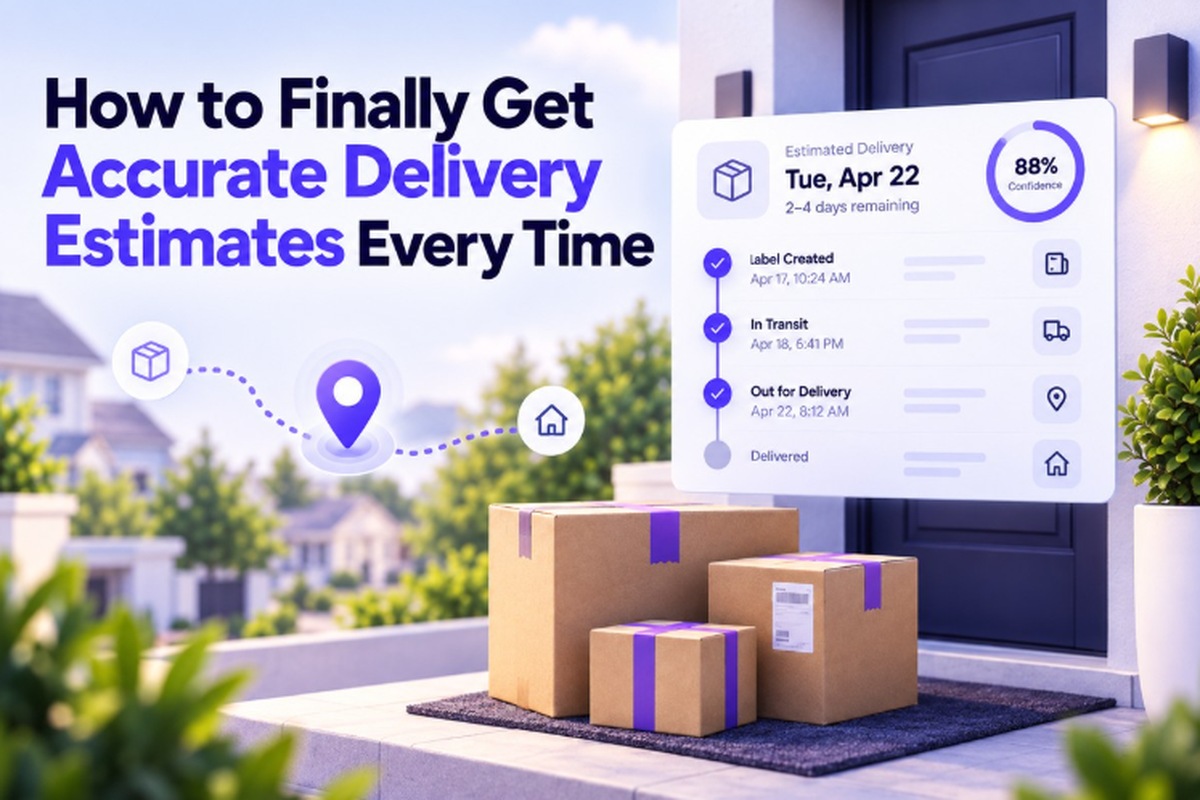
    Your delivery date has passed, changed unexpectedly, or never matched the estimate you received when you placed your order.

    If you are wondering, “why is my delivery estimate wrong,” the answer is usually not that your package is lost. A delivery estimate is a prediction based on processing time, typical transit times, carrier data, and the expected route. Those conditions can change after your package ships.

    Weather, shipping volume, customs checks, carrier handoffs, address issues, and delayed tracking scans can all affect the original estimate. As new shipment information becomes available, the expected delivery date may also change.

    This guide explains why delivery estimates can be wrong or change, how checkout estimates differ from carrier estimates, and how to use the latest tracking information to get a more current view of when your package may arrive.

    Why Is My Delivery Estimate Wrong?

    Delivery estimates are usually wrong because they rely on advance averages for transit and processing, rather than real-time conditions affecting your specific shipment.

    The three biggest causes are:

    • How the estimate was calculated initially
    • What happened after the parcel shipped
    • Whether the date came from the seller or carrier

    Sellers may use processing times and typical transit ranges, while carriers update estimates using actual scans and route conditions. Unexpected delays can make either date change or become inaccurate.

    The rest of this guide breaks down each cause in order.

    How Are Delivery Estimates Actually Calculated?

    A delivery estimate is based on a simple formula, not a live prediction. It usually starts with the ship date, processing time, and expected transit time for your route.

    1. Carrier Transit Times and Service Levels

    Carriers look at how long similar packages usually take on a particular route. They use those past delivery times to set an expected window for each shipping service.

    For example, economy shipping usually takes longer than express shipping. The estimate also depends on the carrier and service your package is expected to follow. 

    Carriers generally consider three things:

    • Distance and handoffs: How far the package travels and how many times it changes hands.
    • Past delivery times: How long similar packages usually take on that route.
    • Shipping service: Whether you selected economy, standard, express, or another option.

    This gives the carrier a reasonable starting point, but it is not a promise.

    That is why two packages shipped on the same day can still have different delivery estimates. Their routes, destinations, or shipping services may differ.

    1. Real-World Conditions That Shift the Date

    The original estimate is based on what usually happens. Your package, however, may face conditions that were not expected when that estimate was created.

    For example:

    • Bad weather can slow flights, trucks, or local deliveries.
    • Heavy shipping volume during holidays or major sales can create backlogs.
    • Address problems can make it harder to route or deliver the package.
    • Extra carrier handoffs can add time, especially on international shipments.

    When something like this happens, your package can take longer than the original estimate suggested.

    The problem is that the first estimate may not change immediately when these delays occur.

    Use the Delivery Date Calculator to estimate a typical arrival date from the ship date, transit time, weekends, and holidays. 

    So the date you see can look wrong, even though the package is simply taking longer than expected.

    Why Does My Estimated Delivery Date Keep Changing?

    A changing delivery estimate usually means the system is updating itself with newer information, not that something has failed.

    Some carriers and marketplaces update the date when new tracking scans arrive. A delay at one checkpoint can push the expected delivery date later.

    Three common reasons the date changes:

    • Sorting facility delay: A missed or delayed scan can make the package appear behind schedule.
    • Customs hold: International shipments may wait while customs checks or processes the package.
    • Carrier handoff: A different carrier may take over the final delivery leg, changing the expected timing.

    What this means for you: The date may move again as the tracking system receives more information. That can feel frustrating, but checking the meaning of each tracking status can help you understand what the latest update actually indicates. 

    A later date is frustrating, but it usually means the system is actively updating rather than ignoring a real delay.

    What Causes the Biggest Delivery Delays?

    A small group of recurring problems causes many delivery delays across shipping networks worldwide.

    CauseWhy it delays delivery
    Weather disruptionSevere weather can slow flights, road transport, sorting, and local delivery operations.
    Peak season / high volumeHolidays and major sales events can create heavier workloads and processing backlogs.
    Customs clearanceInternational shipments may wait while customs checks documents, contents, or duties.
    Address or geocoding errorsIncorrect address details can make routing difficult and delay the delivery attempt.
    Carrier handoff delaysInternational or last-mile handoffs can add waiting time between different delivery networks.
    Incomplete or missing initial scanMissing scans can delay tracking updates and make the shipment appear stuck or behind schedule.

    International shipments face several of these causes at once, especially customs checks and multiple carrier handoffs.

    Most of these problems appear in the tracking timeline as status changes before you notice the delay yourself.

    Is the Checkout Delivery Estimate the Same as the Carrier’s Estimate?

    No, these are often two different numbers, calculated by different systems for different purposes.

    The checkout estimate is usually created when you order, using the seller’s processing time and typical carrier transit time. Once the parcel ships, the carrier can use actual scans to update its own estimate.

    Checkout estimateCarrier tracking estimate
    When: Set when you place the order.When: Updated after the parcel enters the carrier network.
    Based on: Seller processing time plus typical carrier transit time.Based on: Actual tracking scans and the parcel’s movement through the network.
    Purpose: Gives you an expected delivery date before the shipment starts moving.Purpose: Shows the expected arrival based on what is happening during transit.

    The practical difference: After shipping begins, the carrier’s tracking estimate is generally more current because it uses newer shipment information.

    What a good tracking tool adds: It can surface a continuously updated, confidence-scored estimate based on the latest available tracking information.

     How Can You Get a More Accurate Delivery Prediction?

    The most reliable prediction comes from an estimate updated using actual parcel scans, rather than the date set during checkout.

    1. Check the Parcel After It Ships

    Once the parcel is moving, use its actual tracking activity instead of relying on the original order date.

    Look for: The latest carrier scan and the delivery estimate based on that shipment activity.

    1. Prefer a Delivery Window Over One Fixed Date

    A delivery window shows that the prediction can change as the shipment moves through the network.

    Look for: An arrival range and a confidence score, rather than treating one date as guaranteed.

    1. Read the Status Before the Date

    Tracking statuses can reveal problems before the estimated delivery date visibly changes.

    Watch for: Customs holds, exceptions, missed scans, or other status changes that could affect arrival.

    What Gives You a More Current Prediction?

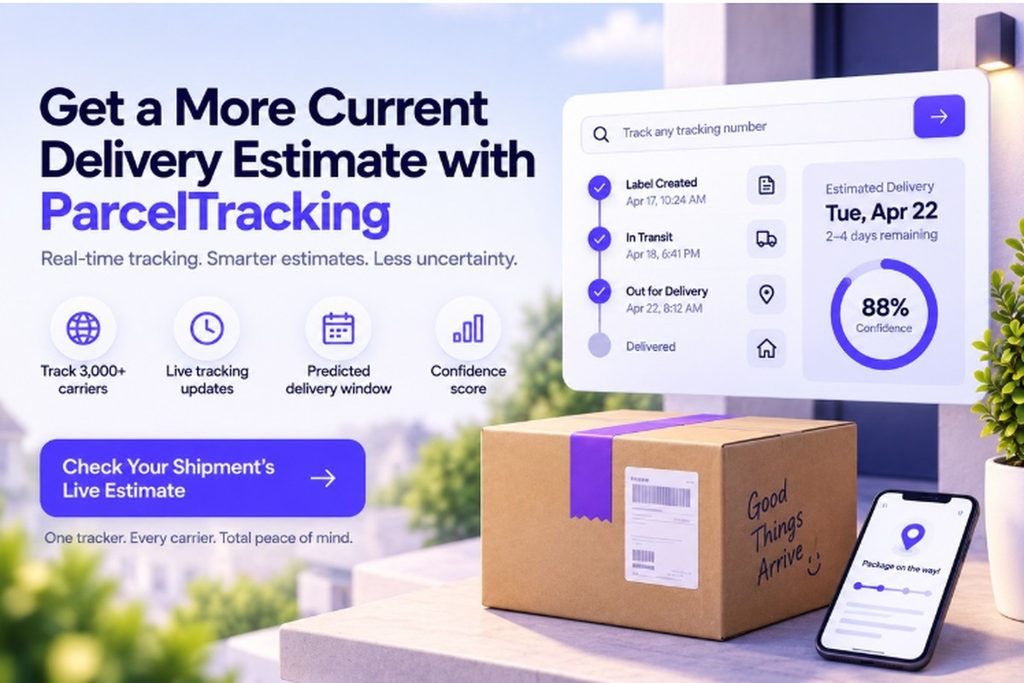
    A tracking tool can pull the latest scans from 3,000+ carriers and combine them with carrier history. It can then show a predicted arrival window with a confidence score, giving you a current estimate based on actual shipment information.

    Check your shipment now: Track your package to see its latest tracking status and live delivery estimate.

    When Should You Actually Worry About a Late Delivery?

    A delivery estimate passing by a few days is usually normal, but certain signs mean it is worth taking action.

    Usually Normal

    A late date alone does not necessarily mean something is wrong with your package. Estimates can change when shipments encounter delays that were not included in the original prediction.

    Signs Worth Checking

    Look more closely when you see:

    • “Exception” or “Delivery Attempt Failed”: These statuses indicate a specific delivery problem, rather than simply an old estimated date.
    • No scan movement for several days: The package has gone several days beyond the estimate without any new tracking activity.
    • Repeated estimate changes: The delivery date keeps moving, but no new tracking activity appears between those changes.

    What To Do Next

    If any of these signs appear, check the latest tracking status before assuming the package is lost or seriously delayed. At that point, contact the seller or carrier directly with your tracking number, since the estimate alone cannot resolve the problem.

    Not sure what that tracking status means? Use the Tracking Status Decoder to turn confusing carrier updates into plain English.

    Get a More Current Delivery Estimate with ParcelTracking

    Get a More Current Delivery Estimate with ParcelTracking

    Your checkout date is only a starting point. Once your parcel is moving, newer tracking information can give you a clearer picture.

    With ParcelTracking, you can:

    • Track 3,000+ carriers in one place
    • Follow the latest tracking scans as your parcel moves
    • See a predicted arrival window instead of relying on one fixed date
    • Check a confidence score based on carrier history and the latest scan

    Stop relying on an outdated checkout date.

    Check your shipment’s live estimate →

    Final Thoughts

    A wrong delivery estimate is usually explainable, not a broken system, because averages meet real-world shipping conditions. The original date may not reflect delays, route changes, customs holds, or other events affecting the parcel after shipment.

    Once your parcel ships, check the estimate based on its actual scan history rather than relying on its original checkout date. New tracking scans provide more current information about where the parcel is and how its journey is progressing.

    When you want a current view of your shipment, check your shipment’s live estimate using its tracking number.

    Frequently Asked Questions

    1. Why does my estimated delivery date keep changing?

    Your estimated delivery date usually changes when new tracking information causes the carrier or marketplace to update its prediction.

    1. Is it normal for a package to arrive after the estimated delivery date?

    Yes, packages can arrive after their estimated delivery dates when unexpected delays affect processing, transit, or final delivery.

    1. Does the delivery estimate include the seller’s processing time?

    The delivery estimate may include the seller’s processing time, depending on how the seller or marketplace calculates its estimated arrival date.

    1. Why do two packages with the same shipping method show different estimates?

    Two packages can have different estimates because their routes, destinations, processing times, or expected carrier handling may differ.

    1. What causes shipping delays that affect delivery estimates?

    Shipping delays commonly result from weather, heavy shipping volume, customs clearance, address problems, or additional carrier handoffs.

    1. How accurate are carrier delivery estimates?

    Carrier estimates become more current as new scans arrive, and ParcelTracking can use 3,000+ carriers, latest scans, carrier history, and confidence scores.

    1. Does weather really affect delivery estimates?

    Yes, severe weather can disrupt flights, road transport, sorting operations, and local deliveries, causing estimated arrival dates to change.

    1. What should I do if my delivery estimate has passed?

    Check the latest tracking status first, then contact the seller or carrier with your tracking number if delays continue.

  • Track Packages From Different Carriers: Simplify Deliveries 

    Track Packages From Different Carriers: Simplify Deliveries 

    You’ve got a few orders coming, different carriers handling them, and maybe three or four tracking tabs open right now. You just want one simple answer: where is my package?

    Instead, one carrier asks for a password, another uses confusing status words, and one app never sends the notification you expected. Suddenly, you’re checking sites again and again, wondering whether your parcel is actually moving.

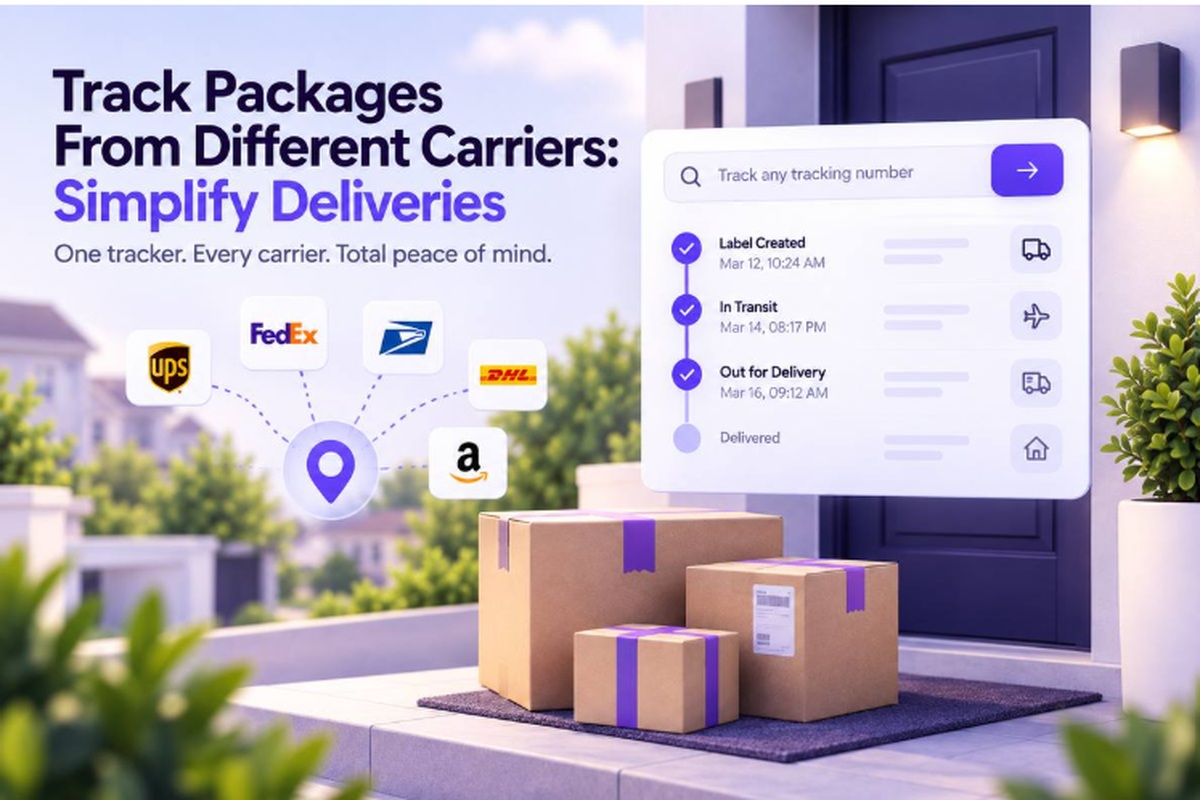
    This guide shows the real ways to track packages from different carriers in one place, without making things complicated. You’ll see how multi-carrier tracking works, what to look for, and how carrier data gets pulled into one view.

    Then, we’ll walk through three simple steps to see every shipment in one place today. First, let’s look at why tracking gets so scattered.

    Why Tracking Packages From Different Carriers Gets So Hard?

    Tracking packages from different carriers gets complicated because each carrier runs its own system, login, status language, and tracking format, with no shared standard.

    • Separate tracking systems: Every carrier runs its own system, with no shared login or common tracking format.
    • Multiple carrier handoffs: Marketplace orders can move through two or three carriers before reaching your door.
    • Different status language: Carriers use different words for the same event, making identical updates look unrelated.
    • Separate notifications: Delivery alerts usually live inside each carrier’s own app or website, so missed settings matter.

    One shipment, multiple systems: A package can move between international carriers, postal services, and local couriers during delivery.

    Confusing updates are normal: Gaps, duplicate scans, or unfamiliar status words do not automatically mean your package stopped moving.

    The problem is not you: Global shipping naturally involves multiple carriers, each managing its own tracking information.

    What Options Exist for Tracking Multiple Carriers at Once?

    There are four realistic ways to track multiple carriers, and each comes with different trade-offs in effort, visibility, and control.

    MethodBest forDownside
    Checking each carrier’s site individuallyA single shipmentDoesn’t scale past 2-3 packages, with no unified view
    Email/inbox tracking, scanning confirmation emails manuallyOccasional shoppersManual, easy to lose track, and provides no live status
    A spreadsheet with manually entered tracking numbersSellers tracking outbound ordersStill requires checking each carrier separately for status
    A multi-carrier tracking toolAnyone with more than a couple of active shipments, or international ordersRequires trusting a third party with tracking numbers, though no personal data beyond that is needed

    Checking carrier sites works when you only have one shipment, while inboxes and spreadsheets suit occasional tracking needs. A multi-carrier tool becomes relevant when several active shipments or international handoffs make separate tracking harder to manage.

     How Do Multi-Carrier Tracking Tools Actually Work?

    Multi-carrier tracking tools connect to carrier data feeds through APIs and pull scan history automatically. That replaces the need to check every carrier site by hand.

    The goal is simple: bring separate carrier updates into one place. You follow the shipment instead of hunting for individual updates.

    1. You provide the tracking number
      1. Enter it manually, or let an order confirmation email supply it automatically. 
      2. Track your package gives you one place to start. ParcelTracking can also sync tracking numbers from your inbox through Gmail and Outlook order confirmations.
    2. The tool identifies the carrier.
      1. It reads the tracking number’s format to identify the carrier. 
      2. Then it requests that shipment’s scan history through the carrier’s data feed. 
      3. A tracking number detector can handle carrier identification without asking you to choose one manually.
    3. The tool standardizes and combines updates.
      1. It converts different carrier status labels into consistent updates. 
      2. It then joins every shipment leg into one continuous timeline. 
      3. For unfamiliar terms, a tracking status meaning guide can explain what each update represents.

    The normalization step matters because consistent labels make updates easier to understand, regardless of which carrier handles that leg.

    What Should You Look for in a Multi-Carrier Tracking Tool?

    Not all multi-carrier tracking tools are equal, and five factors separate genuinely useful tools from thin tracking wrappers.

    • Carrier coverage: Check whether it supports the carriers you use, including regional and postal services, not only major global names.
    • Automatic detection: You should be able to paste a tracking number without selecting a carrier from a dropdown.
    • Real ETA: Look for an arrival window, ideally with a confidence indication, rather than another static delivery date.
    • Notification control: Choose how often you receive updates, so routine “in transit” messages do not overwhelm you.
    • Easy starting: Track a single package instantly without creating an account before you can see its status.

    These checks reveal whether a tool actually simplifies multi-carrier tracking or simply collects carrier links in another interface.
    ParcelTracking.com combines these criteria with 3,000+ carrier coverage, automatic carrier detection, and a unified tracking view.

    Is Multi-Carrier Tracking Different for Shoppers vs Sellers? 

    Yes, shoppers need purchase visibility, while sellers need outbound monitoring and early warning when shipments start going wrong.

    For shoppers:

    • One running timeline: Keep every order in one timeline, regardless of which carrier handles each shipment along the way.
    • Automatic detection: Paste a tracking number without manually choosing the carrier each time you check another order.
    • Useful alerts: Get important delivery changes without being flooded by notifications for every routine scan.

    For sellers:

    • Earlier problem spotting: See stalled scans, delays, and unusual shipment activity before customers start asking about orders.
    • Multiple carriers: Monitor outbound shipments across different carriers from one place instead of checking each carrier separately.
    • Customer self-service: Give buyers a direct way to check tracking updates, reducing repetitive “where is my order?” messages.

    Can You Track International Shipments Across Carriers Easily?

    Yes, international shipments are a strong use case because parcels commonly change carriers before reaching the destination.

    What you’ll typically see is:

    • Origin carrier: The first tracking updates usually come from the carrier handling collection and export.
    • International leg: Cross-border transport or customs partners may handle the parcel before destination processing begins.
    • Destination carrier: A local postal service or courier usually takes over the final delivery leg.

    A multi-carrier tool should make those handoffs easier to follow by showing:

    • Full journey: One timeline covering the shipment across origin, international, customs, and destination legs.
    • Customs status: A clear indication when the parcel enters customs, with customs delay checker available when an update raises questions.
    • Local details: The destination carrier’s tracking information once the parcel enters its local delivery network.

    You can also check every carrier supported when an unfamiliar regional courier appears in your tracking history.

    This is where a single carrier website struggles most, because origin tracking often becomes limited after the parcel leaves its network.

    How to Track Packages From Different Carriers in Three Steps?

    Tracking packages from different carriers takes less than a minute and starts without an account, even with several shipments active.

    1. Paste your tracking number: Open the tracker and paste any tracking number, regardless of the carrier that issued it.
      1. You do not need to select a carrier manually, so you can start with the number already in your order.
    2. Let the tracker identify it: Let the tracker identify the carrier automatically from the tracking number.
      1. It then pulls the current scan history and status into the tracker. 
      2. Those updates appear together in one timeline you can read at a glance.
    3. Add your other shipments: Repeat the process for every open shipment you are waiting on.
      1. For ongoing updates, enable notifications through your account. 
      2. That lets alerts come to you instead of requiring repeated manual checks across separate carrier websites.

    The same process works whether your orders involve two carriers or several different carriers across multiple shipments at once.
    You repeat the same steps because the carrier does not change the workflow you use to check a shipment.

    Start now and track your first package.

    Track All Your Packages From Different Carriers with Parcel Tracking 

    Track All Your Packages From Different Carriers with Parcel Tracking

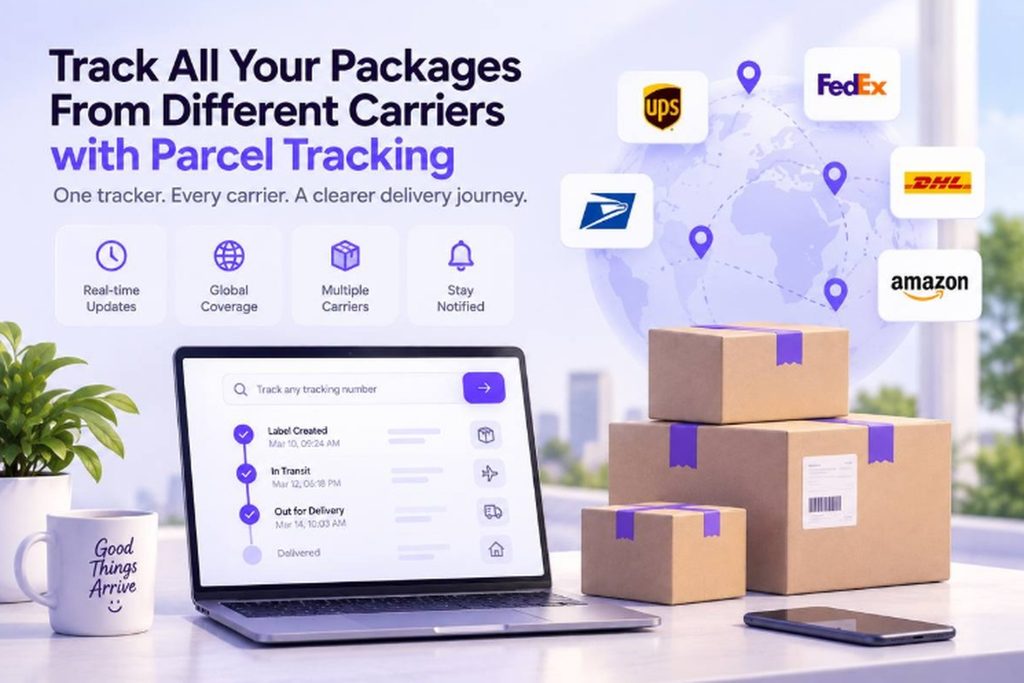
    You can bring your active shipments into one place and check where each package stands without jumping between carrier websites.

    Here’s what you can do with ParcelTracking when you’re tired of checking one tracking page after another:

    • Paste the next tracking number: No carrier selection needed. ParcelTracking detects the carrier automatically.
    • See the journey in one timeline: Follow updates across different carriers without opening separate tracking sites.
    • Keep every shipment together: Add your other active tracking numbers and check them from the same place.
    • Track without signing in: Anonymous tracking is available by default, while an account adds history and notifications.
    • Cover international shipments too: ParcelTracking supports 3,000+ carriers worldwide, including postal and cross-border services.

    Track your next package in one place

    Final Thoughts

    Tracking gets complicated because every carrier runs its own system, but that does not mean your shipment is difficult to follow. A multi-carrier tracker brings those separate updates together by normalizing statuses and merging the shipment into one timeline.

    When your next tracking number lands in your inbox, paste it into one tracker instead of bookmarking another carrier site. Then add your other open shipments the same way, so you can see their latest status without jumping between tabs.

    Start tracking every shipment in one place with ParcelTracking, and keep the next update within easy reach.

    FAQs

    1. Can I track packages from different carriers in one app?

    Yes, multi-carrier tracking tools can combine updates from different carriers into one timeline instead of separate carrier websites.

    1. Is there a free tool to track multiple carriers?

    Yes, ParcelTracking lets you track packages without logging in, including shipments handled by different carriers.

    1. How do I track an international package that changes carriers mid-route?

    Use a multi-carrier tracker that combines updates from the origin, international, customs, and destination carriers into one timeline.

    1. Do I need an account to track packages from multiple carriers?

    No, ParcelTracking supports anonymous tracking by default, while an account adds features such as tracking history and notifications.

    1. What’s the best way to track packages as a small online seller?

    A multi-carrier tracker can help sellers monitor outbound shipments across carriers and give customers a self-serve status view.

    1. Can I track Amazon, AliExpress, or Shein packages in one place?

    Yes, you can track marketplace shipments together when the tracking numbers belong to carriers supported by the tracking service.

    1. Is my tracking data private if I use a third-party tracker?

    It depends on the provider. ParcelTracking only uses your tracking number to fetch its status. Tracking without an account is anonymous, and saved shipments stay tied to your account, never sold or shared.

    1. What happens if a carrier isn’t supported by a tracking tool?

    You may need to use that carrier’s own tracking site until the shipment can be tracked through.

  • How Package Tracking Actually Works, From Scan to Doorstep

    How Package Tracking Actually Works, From Scan to Doorstep

    Package tracking works by collecting scans and delivery updates as your parcel moves through different stops. But how does it work when your tracking number has not changed in three days?

    You see “in transit” again, with no useful clue about where the package actually is. Maybe the last scan was yesterday, or worse, several days ago.

    This guide shows what happens from the first label scan to the final delivery. You’ll learn what common tracking statuses really mean, including why some updates arrive late. You’ll also see how one live timeline can bring carrier updates together, instead of making you check different websites.

    First, let’s look at what your tracking updates are actually telling you.

    What Is Package Tracking, Exactly?

    Package tracking is the process of recording a parcel’s progress so you can see its latest location, status, delivery estimate, and carrier movement.

    It gives you visibility after a shipment leaves the sender and moves through sorting facilities, transport hubs, and delivery routes. Instead of wondering where your parcel is, you can check its latest recorded progress.

    In practice, package tracking tells you:

    • Latest location or last recorded scan point
    • Current delivery status
    • Estimated delivery window
    • Carrier handling the current leg

    These details come from tracking events recorded as the parcel moves through the delivery network.

    How Does Package Tracking Work Behind the Scenes?

    Package tracking starts when a carrier assigns a tracking number and shipping label. Each scan adds a new event, which reaches a tracking system and appears online.

    1. The Shipping Label and Tracking Number

    A tracking number gives your parcel a unique identity throughout its journey.

    The barcode or QR code lets scanners identify the shipment quickly at handling points. The label also carries the routing information needed to move it correctly.

    Think of the label as a passport for the parcel.

    A typical shipping label shows:

    • Tracking number: Unique shipment identifier
    • Routing details: Origin and destination
    • Service level: Shipping type or delivery service
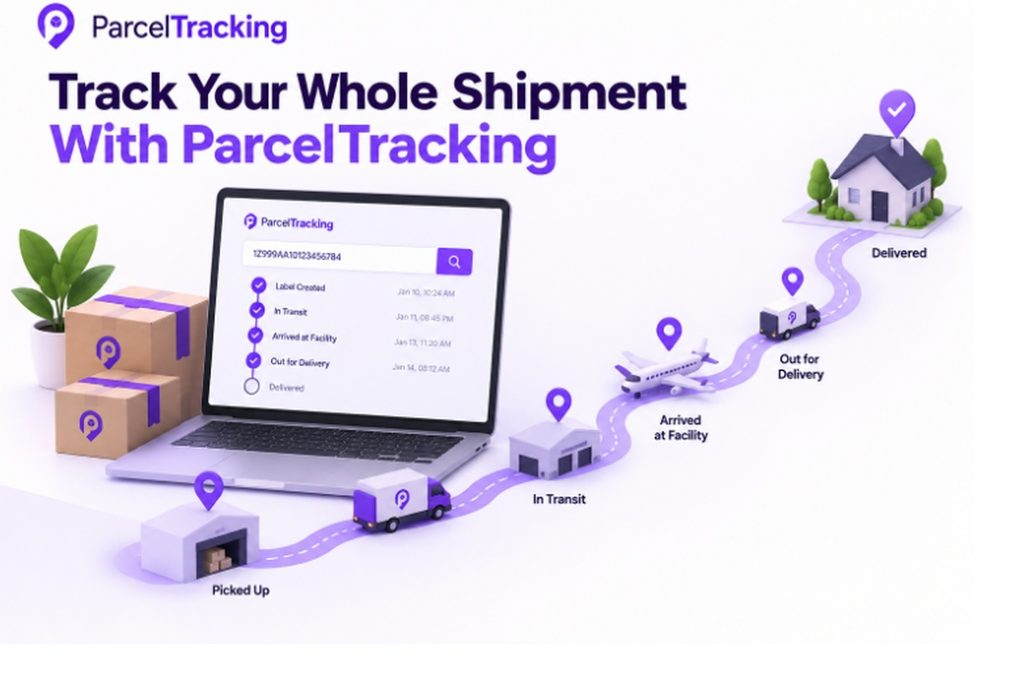
    1. Scan Points Along the Route

    A scan point is where the carrier records a parcel event during its journey.

    A typical journey looks like this:

    1. Pickup
    The courier collects the parcel and records its first movement.

    2. Origin sorting facility
    The parcel enters the carrier’s network and gets sorted for transport.

    3. Transit hub
    The parcel moves through a regional or long-distance transport hub.

    4. Destination facility
    The parcel reaches a facility serving the delivery area.

    5. Out for delivery
    The parcel is assigned for final delivery to the recipient.

    Keep in mind: Scan frequency varies by carrier, route, facility, and service tier.

    1. How Scan Data Reaches Your Screen?

    The physical scan creates an event in the carrier’s tracking system.

    The process is usually:

    Scan → Carrier system → Website or app → Tracking update

    A carrier can display its own tracking data directly on its website or app. Third-party tracking tools can pull the same information through an API or other data feed.

    Why do updates appear late?

    There can be a short delay between the physical scan and the update appearing on your screen.

    That means your parcel can already be moving while the tracking page still shows the previous event.

    What Do the Different Tracking Statuses Actually Mean?

    Carriers use a small set of recurring tracking statuses, although the exact wording can differ slightly between them.

    StatusWhat it actually means
    Label Created / Info ReceivedThe shipment details exist, but the carrier may not have received the parcel yet.
    Picked UpThe carrier has collected the parcel and recorded its first physical movement.
    In TransitThe parcel is moving through the carrier’s network toward its destination.
    Arrived at FacilityThe parcel has reached a sorting or delivery facility for its next step.
    Out for DeliveryThe parcel has left the local facility and is with the courier for delivery.
    DeliveredThe carrier has recorded the parcel as delivered to the destination.
    Exception / DelaySomething has interrupted normal movement, such as a routing, weather, customs, or handling issue.
    • Exact status wording varies by carrier, but the underlying meaning usually stays consistent across tracking systems.
      • Exception is the status worth paying attention to because it signals an actual problem rather than normal movement.

    Confused by a status message? See what your tracking status actually means 

    Is Package Tracking Really “Live,” or Just Scan-Based?

    Most package tracking is not continuously live. It is scan-based, meaning updates appear when a physical scan records a new event.

    Your tracking page usually shows recorded events, not your parcel’s continuous location. Between two scans, the parcel can keep moving while the screen shows the previous event.

    Scan-Based vs. Live/GPS-Based Tracking

    Scan-based trackingLive/GPS-based tracking
    Updates when the parcel reaches a checkpointUpdates the delivery vehicle’s position continuously
    May look unchanged for hours between scansShows frequent position changes during tracked movement
    Common across the wider shipment journeyUsed mainly for final-mile delivery and courier dispatch

    Why can a parcel look stuck?

    • The parcel may already be moving even when the tracking page shows no new event.
    • A long road or line-haul journey can produce no scan until the parcel reaches its next facility. This is why a stale status does not automatically mean the shipment is lost.
      • For longer gaps and missing updates, see the separate guide on tracking numbers that stop updating.
    • A unified tracking view brings the freshest available scan from each carrier and shipment leg into one timeline.
      • New carrier data appears as soon as it reaches the tracking system.
    • It can also show a predicted arrival window with a confidence score, rather than one static delivery estimate.

    Why Does Tracking Information Sometimes Lag or Go Quiet?

    Tracking gaps are almost always caused by time between physical scans, not a lost or mishandled parcel.

    The parcel can keep moving while your tracking page waits for the next recorded event.

    Common reasons include:

    • Long-haul transit between distant facilities
    • Handoff between carriers during international or last-mile delivery
    • Customs clearance before the next movement
    • High-volume periods creating scan backlogs

    These gaps are especially common when shipments cross multiple networks or travel longer distances between facilities.

    A silent tracking page also differs from an explicit delay status, so the wording matters.

    Note: As a rule of thumb, wait 24 to 48 hours before assuming something is genuinely wrong. then check the exact status wording because “Exception” signals a problem, unlike simple silence.

    How Do Multiple Carriers Share One Tracking Number?

    A parcel can move through several carrier networks, especially internationally, and its tracking number may change between systems.

    1. One parcel, several carrier systems

    The origin carrier may hand the parcel to a line-haul or customs partner. That partner can then pass it to a destination carrier for last-mile delivery.

    The handoff usually looks like:

    Origin carrier → Line-haul or customs partner → Destination carrier

    Each carrier may create its own internal reference number while handling the same physical parcel. Systems then match those records so the shipment can continue through the journey.

    1. A simple three-leg example

    1. Origin carrier
    Accepts the parcel and records its initial tracking events.

    2. International transport partner
    Moves the parcel across borders and links the shipment record.

    3. Destination carrier
    Receives the parcel and handles final-mile delivery.

    3. Why can one number stop working temporarily?

    A carrier’s website may only recognize tracking numbers from its own network. Once the parcel changes hands, the original number may not appear there.

    That is why one carrier can show “not found” even while the parcel is genuinely moving through another network.

    Not sure which carrier owns the number? Identify the carrier from your tracking number before you start tracking. 

    What Technology Powers Modern Package Tracking?

    Modern package tracking relies on barcode and QR scans, carrier databases, APIs, data feeds, and GPS for some final-mile vehicles.

    These technologies work together to turn physical package movements into tracking events you can see online. Each layer handles a different part of identifying, recording, transferring, or displaying shipment information.

    The main technologies behind package tracking are:

    • Barcodes and QR codes: They encode the tracking number for fast, accurate scanning at each checkpoint.
    • Carrier databases: They store every scan event linked to that tracking number as a timestamped history.
    • APIs and data feeds: They let third-party tools automatically retrieve tracking events from multiple carrier systems.
    • GPS and telematics: Some couriers use them during final-mile delivery to show a moving vehicle position.

    GPS-based tracking usually covers the delivery vehicle rather than the parcel throughout its entire journey.

    Why does this matter when you track across carriers?

    A multi-carrier tracking tool can pull data from many feeds at once. It then normalizes different status terms, so “In Transit” has a consistent meaning across carriers.

    How Can You Track a Package Without Checking Five Different Websites?

    Instead of checking each carrier separately, a multi-carrier tracker brings every parcel leg into one place automatically.

    How does the tracking workflow work?

    1. Paste your tracking number
      You enter the tracking number you already received from the sender or retailer.
    2. The carrier is detected automatically
      The tracker identifies the carrier from the number format, so you do not choose one manually.
    3. Tracking data is gathered
      The system pulls available tracking events from the carrier handling your shipment.
    4. Updates appear in one timeline
      Different carrier events are brought together into a single running shipment history.
    5. Your arrival estimate is updated
      The tracker provides a predicted delivery window with a confidence score.

    What does this solve?

    • Multiple carriers: Follow one parcel across every carrier involved.
    • Carrier selection: Paste the number without searching through carrier lists.
    • Unclear ETAs: See a predicted arrival window with a confidence score.

    You do not need to create an account or select the carrier to start tracking. Just paste your tracking number and view the available shipment updates.

    Ready to check your shipment? Track your package using the tracking number you already have.

    Track Your Whole Shipment With ParcelTracking 

    Shipping label with tracking number barcode and routing details

    ParcelTracking brings tracking updates from different carriers into one timeline, so you can follow the journey without switching sites.

    It helps when you need to:

    • Track across carriers: Follow a parcel when the route changes hands.
    • Identify the carrier: Paste the number and let the tracker detect its carrier automatically.
    • Understand confusing statuses: Use the tracking status decoder for plain-English explanations.
    • Check possible customs delays: Use the customs delay checker when international tracking goes quiet.

    How it works:
    Paste your tracking number → Carrier detected → Updates gathered → One timeline

    You can start tracking without creating an account or selecting a carrier first.

    Track your package now →

    Final Thoughts

    Package tracking becomes easier to understand once you know updates reflect recorded events, not constant movement. A unified timeline gives you a clearer view when those events come from different carriers and shipment legs.

    Instead of opening several carrier websites, start with the tracking number you already have. Paste it into one tracker and let the carrier be identified automatically. Then follow the shipment as new tracking events appear across its journey.

    You can also see a predicted arrival window with a confidence score, giving more context than one fixed date. There is no need to figure out which carrier currently handles the parcel before tracking it.

    Track your package now and see the latest available journey updates in one place.

    Frequently Asked Questions

    1. What does “in transit” mean on a tracking number?

    “In transit” means the carrier has recorded your package as moving through its network toward the destination.

    1. How accurate is package tracking?

    Package tracking accurately reflects recorded carrier events, while delivery estimates can change because conditions may affect the shipment.

    1. Why does my tracking status not update right away?

    Tracking may remain unchanged because the package has not reached another scan point or the latest event has not appeared online.

    1. How long does it take for tracking to update after shipping?

    Tracking usually updates after the carrier receives and scans the package, but timing varies by carrier, service, and route.

    1. Can you track a package without a tracking number?

    You generally need a tracking number or another shipment identifier to retrieve a package’s tracking information.

    1. What is the difference between a tracking number and a reference number?

    A tracking number identifies a shipment for tracking, while a reference number usually identifies an order, invoice, or internal shipment record.

    1. Do all carriers use the same tracking technology?

    Carriers use different systems, although many rely on barcode scanning, electronic records, APIs, data feeds, and GPS for selected operations.

    1. What does “out for delivery” mean?

    “Out for delivery” means the package has entered its final delivery stage and is typically with the courier.